For professionals keen to up their email game and boost productivity, Email Inbox Rotation is key. It can drastically improve email strategies, changing how sales and marketing campaigns roll out. With stricter email provider rules, finding new methods to get messages through is crucial.
This guide will explore the ins and outs of inbox rotation. It will show how it’s essential for campaign success.

Email Inbox Rotation Explained
In the fast-paced sales outreach world, breaking through digital noise is crucial. Email Inbox Rotation is a powerful tool. It gives modern marketing strategies an edge, especially in cold emailing. With tough rules from email providers, marketers need clever ways to keep emails from being marked as spam.
The Rise of Inbox Rotation in Sales Outreach
Marketers looking for effective sales methods have started using Email Inbox Rotation. It solves the problem of sending lots of emails without breaking rules. This method lets businesses reach more people, more effectively, and see better results.
Defining Email Inbox Rotation for Modern Marketers
Email Inbox Rotation helps send many emails without hitting limits. It’s key in today?s marketing, keeping sales outreach strong without risking your reputation. It ensures cold emails are sent evenly. This strategy is vital for marketers wanting strong, flexible outreach campaigns.
Why Email Inbox Rotation is Essential for High-Volume Cold Outreach
In the world of digital marketing, cold emailing is key for reaching many people. But, tough rules and smart spam filters make it hard to get emails through. Email inbox rotation is a clever way around these limits. It helps every cold email get to the person it’s meant for.
Understanding Email Service Providers’ Limitations
Big email campaigns face strict rules from email service providers. These rules limit how many emails you can send each day, hurting your ability to reach out widely. Sticking to just one account for emails is not only less effective but can also make deliverability worse in the future. By using different accounts, email inbox rotation avoids these issues.
The Link Between Sending Volumes and Spam Filters
Sending too many emails from one account can make spam filters block them. Sometimes, sending just 40 emails in a day is too much. With email inbox rotation, you can keep sending emails without stopping. This is key to keeping up your outreach and making sure your emails actually get read.
- It helps follow sending limits without cutting back on outreach.
- It stops emails from being marked as spam.
- It protects your reputation by staying within sending rules.
Using email inbox rotation is a must, not just a choice, for today’s digital marketing strategies. It makes sure your messages hit home with potential customers. And it keeps your campaigns running smoothly.
The Mechanics of Email Inbox Rotation
For any marketer, knowing how inbox rotation mechanics work is key. This smart method helps evenly spread out emails across many inboxes in a way that looks random but is actually planned. It helps companies stay under the email limits set by providers, avoiding spam filters.
Top platforms like Emailchaser and Woodpecker lead the way in using this technology. They let marketers link several email accounts to one campaign, making things easier. These platforms ensure emails are sent smoothly and naturally, improving deliverability and reader engagement.
- Inbox rotation uses smart algorithms to spread out automated email sending over time and different accounts.
- Emails go out in a way that seems like a human sent them, lowering the chance of being seen as spam.
- When an account hits its email limit, the system moves to the next inbox automatically.
- The rotation keeps going, so large campaigns run smoothly without breaking any rules set by the email providers.
The advanced inbox rotation mechanics allow for large operations without manual work. Businesses can reach more people, more effectively, and do it without much hassle.
Benefits of Implementing Email Inbox Rotation
Using email inbox rotation can change how digital outreach works. It helps achieve marketing goals while tackling delivery challenges. This approach improves email deliverability by using multiple accounts to send messages. This way, businesses can avoid the strict limits set by Internet Service Providers (ISPs). In turn, this ensures a steady connection with their audience.
Improved Email Deliverability
One big benefit of email inbox rotation is better email deliverability. This method lessens the chance of important emails going into spam or getting blacklisted. By sending fewer emails from each account, your messages are more likely to be welcomed by recipients. This is crucial for keeping up email quality.
Expanding Your Reach Without Compromising Quality
Email inbox rotation also lets you reach more people without losing the personal touch in your emails. It helps avoid blacklists while maintaining email quality and intention. You can connect with a broader audience without compromising your messages.
- Ensures messages reach the inbox, not the spam folder
- Spreads volume across multiple inboxes to dodge service provider send limits
- Promotes a consistent, high-quality dialogue with potential leads
Adopting email inbox rotation offers strategic benefits for digital outreach. It keeps your business moving forward while preserving a good sender reputation.
Setting Up Email Inbox Rotation for Your Campaigns
Choosing a strong platform is crucial for successful email campaign setups. It needs to support the detailed aspects of linking accounts strategically. This smooths out email campaign management and boosts your outreach. It does so without alerting the algorithms of email providers.
Choosing the Right Cold Email Tool
Starting with an email rotation system means picking the right tools. Look for one that integrates easily with your efforts. A good tool has an easy interface, strong analytics, and lots of automation. This choice helps you watch and control your email flows better.
Connecting Multiple Email Accounts Strategically
Linking email accounts well is crucial for using email rotation fully. Using one email account for each domain helps avoid spam marks. It keeps your domain’s good name. For bigger outreach, having many domains and emails helps keep up your efforts.
- Assess the scalability options the tool offers for growing campaigns.
- Consider the ease of adding and managing multiple email accounts.
- Validate the software’s compliance with deliverability best practices.
To sum up, the correct setup with the best email rotation tools and smart account linking boosts your campaign. It increases engagement and helps meet your marketing goals.
Email Inbox Rotation with Instantly.ai
Instantly.ai is leading the way in transforming cold emailing strategies. It introduces cutting-edge solutions that change how we reach out. By becoming a key player in email marketing, Instantly.ai sets a high standard. It ensures emails are more effective than ever before.
Integrating Instantly.ai into Your Email Outreach Strategy
Using Instantly.ai can greatly improve your email strategy. It makes managing your inbox easier and helps meet the needs of today’s sales pros. With its easy-to-use interface, Instantly.ai makes managing large email campaigns a breeze. It also focuses on making sure your emails reach their destination.
Utilizing Instantly.ai’s Email Warmup Feature
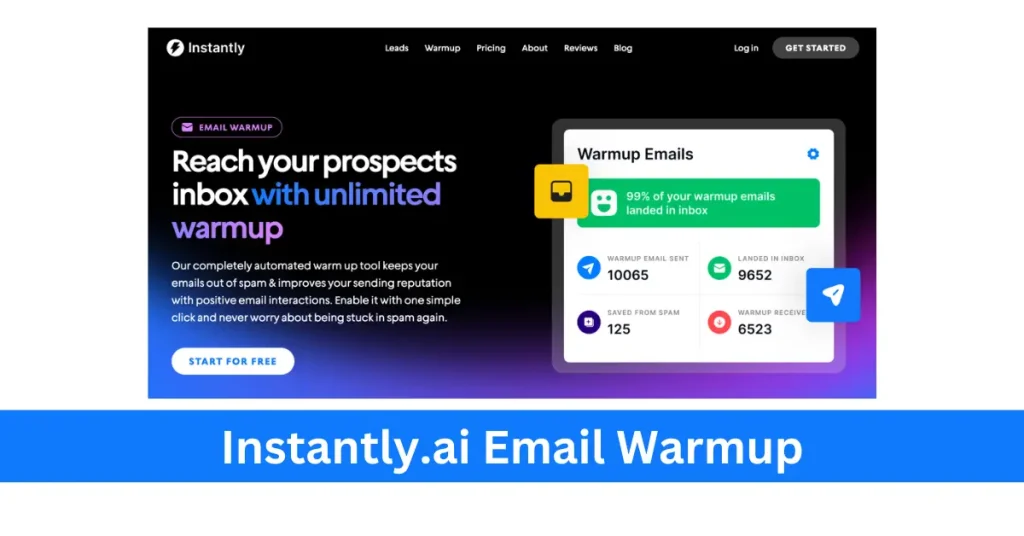
Instantly.ai’s email warmup feature is a game-changer. It helps you build a strong sender reputation by gently increasing email volume. This way, emails feel more natural and are less likely to be marked as spam.
- Automates the process of establishing sender credibility
- Prepares email accounts for high-volume sending with minimal risk of penalization
- Targets outreach optimization for both new and seasoned email accounts
Instantly.ai is a powerful tool in email outreach. It equips sales teams with everything they need for top-notch email campaigns. This marks a new era of efficiency and smart communication in our digital world.
Related: Instantly.ai Coupon Code
Best Practices for Email Inbox Rotation
Email campaigns get a big boost from using inbox rotation. To make the most out of it, follow certain best practices. These tips help keep your sender reputation safe. They also make sure your email marketing stays effective for a long time. Applying these strategies can greatly improve your rotation strategy’s success.
Maximizing the Efficiency of Inbox Rotation
To get the best results from inbox rotation, managing how many emails you send is key. Limit the number of daily emails. Make sure these limits are okay with your email service providers. This avoids sending too many emails too fast. Following these steps keeps your accounts safe. It also helps spread out your emails better throughout the day.
- Maintain a strict schedule to distribute the send volume across multiple inboxes.
- Regularly monitor and adjust send limits based on email provider updates and your campaign performance data.
- Strive for a natural sending pattern that mimics human behavior to reduce the risk of triggering spam filters.
Maintaining a Healthy Sender Reputation
Having a good sender reputation is key for email success. Email providers look at this reputation to decide where your email goes. Use more domains for sending and slowly increase how many emails you send. This shows providers that your accounts are reliable.
- Utilize a variety of domains to spread out the risk and establish multiple reputations.
- Gradually build up the sending volume to avoid sudden spikes that might look suspicious.
- Invest time in nurturing each email account and domain as a valuable asset in your marketing toolkit.
Sticking to these practices is crucial for a healthy email environment. They help businesses grow their reach. Plus, they keep your messages effective and seen by your audience.
Real-World Applications: Scaling Your Business with Email Inbox Rotation
The world of business is always changing. Being able to grow your operations efficiently is key. Email Inbox Rotation is a game-changer, offering scaling business solutions. It helps skip email send limits and boosts outreach success.
Woodpecker leads the way in inbox rotation applications. Its cool features help grow email campaigns with ease. Multiple email accounts can be used together, rotating to protect sending reputation and increase reach.
- Maximized Deliverability: By using different email accounts for sending, businesses can avoid being blacklisted. This helps ensure emails make it to the inbox, not the spam folder.
- Increased Outreach: Having access to more mailboxes means you can send more campaigns quickly. This helps reach more potential clients without waiting.
- Sustained Momentum: Automated rotation keeps communication steady. This keeps campaigns rolling with little need for manual work.
Using inbox rotation applications helps a company grow fast without losing touch quality through real-world email strategies. Looking ahead, Email Inbox Rotation will stay vital for business success.
Conclusion
In the modern corporate world, Email Inbox Rotation has become key for sales and marketing teams. It helps them expand their outreach effectively while keeping a good relationship with email providers. This method ensures that high-volume email campaigns are sent out accurately.
Email Inbox Rotation offers great benefits. Together with platforms like Instantly.ai and Emailchaser, it boosts productivity. These tools help reach more people and get better responses, proving essential for competition in today’s market.
It’s crucial to maintain a good sender reputation and follow the rules of email providers. Following Email Inbox Rotation best practices helps reach more people without being marked as spam. This method positions businesses at the forefront of digital marketing, ensuring they stay ahead.